How Many Appliances Can My Inverter Support? (Understanding Load)
Two limits decide it: watts for what runs at once, watt-hours for how long. Work out both, including the start-up surge that trips inverters.
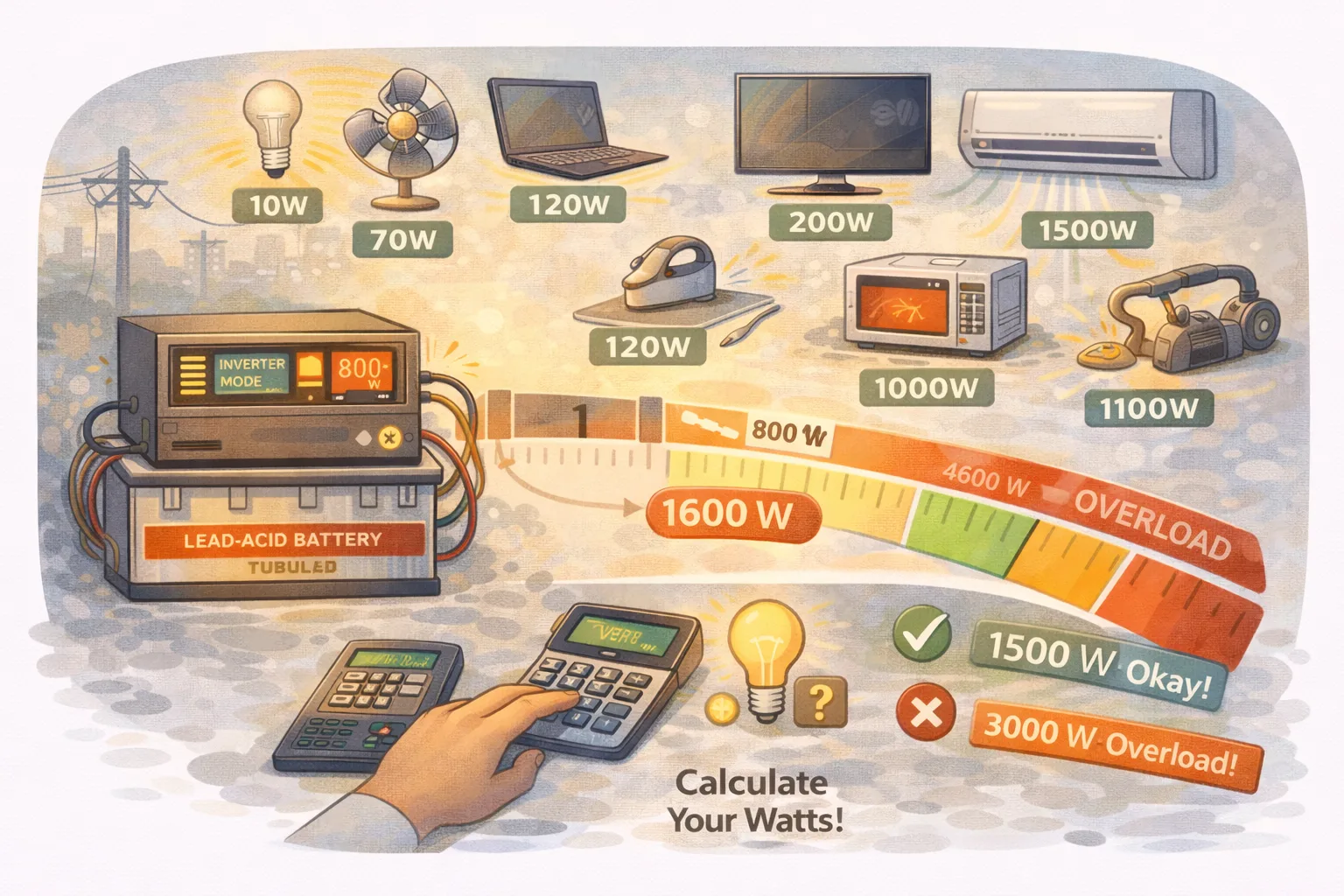
There is no single number, because two different limits decide it and they fail in different ways.
Exceed the watts limit and the inverter trips instantly, however new your batteries are. Exceed the watt-hours limit and everything runs fine — until the battery is flat. Most disappointment comes from meeting one and ignoring the other.
Here is how to work out both, with the numbers that actually apply.
The two limits, side by side
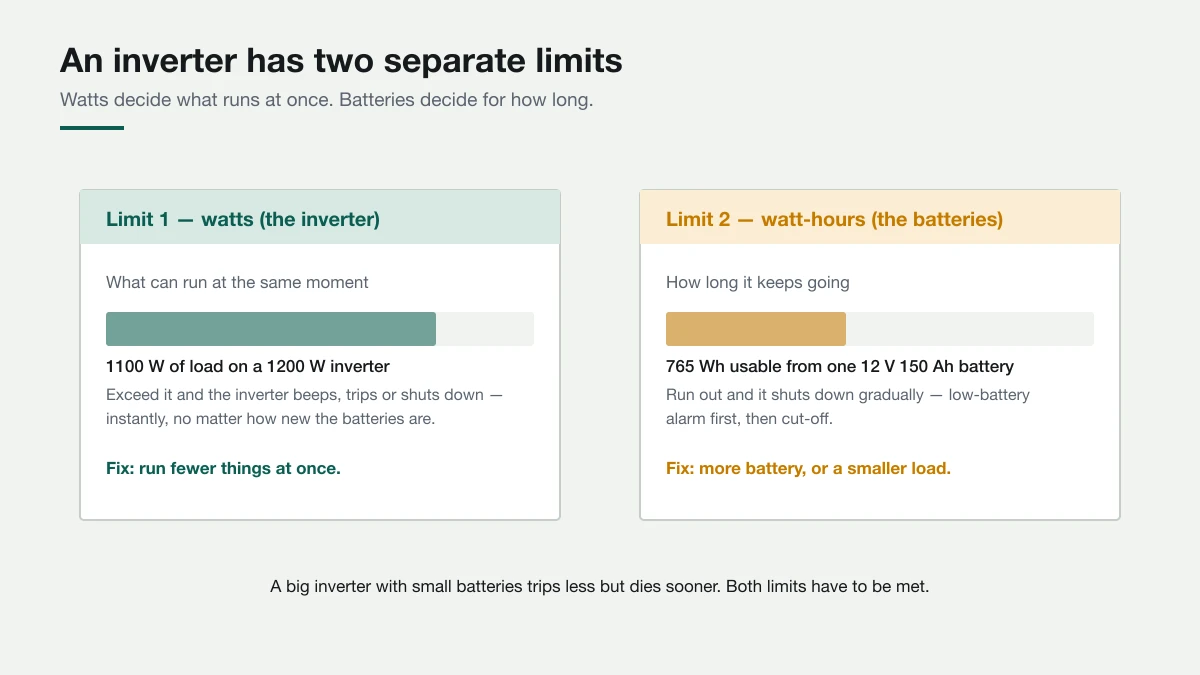
- Watts (the inverter) — the ceiling on what runs simultaneously. Cross it and you get a beep, an overload light, or a shutdown.
- Watt-hours (the batteries) — the ceiling on duration. Cross it and you get the low-battery alarm, then cut-off.
Buying a bigger inverter does nothing for runtime. Adding batteries does nothing for the trip point. They are separate purchases solving separate problems.
What your inverter is really rated for
Ratings come in two forms and they are not interchangeable.
Watts (W) is real power — what your appliances consume. Volt-amps (VA) is apparent power, always a larger number. The gap between them is the power factor, typically 0.8 on home inverters:
| Rating on the box | Realistic continuous watts |
|---|---|
| 1000 VA | ~800 W |
| 1500 VA | ~1200 W |
| 2000 VA | ~1600 W |
Then find the surge or peak rating, usually quoted for a few seconds. Two inverters with identical continuous ratings can behave completely differently when a fridge kicks in, and that is down to surge.
The surge that trips inverters when the maths looked fine
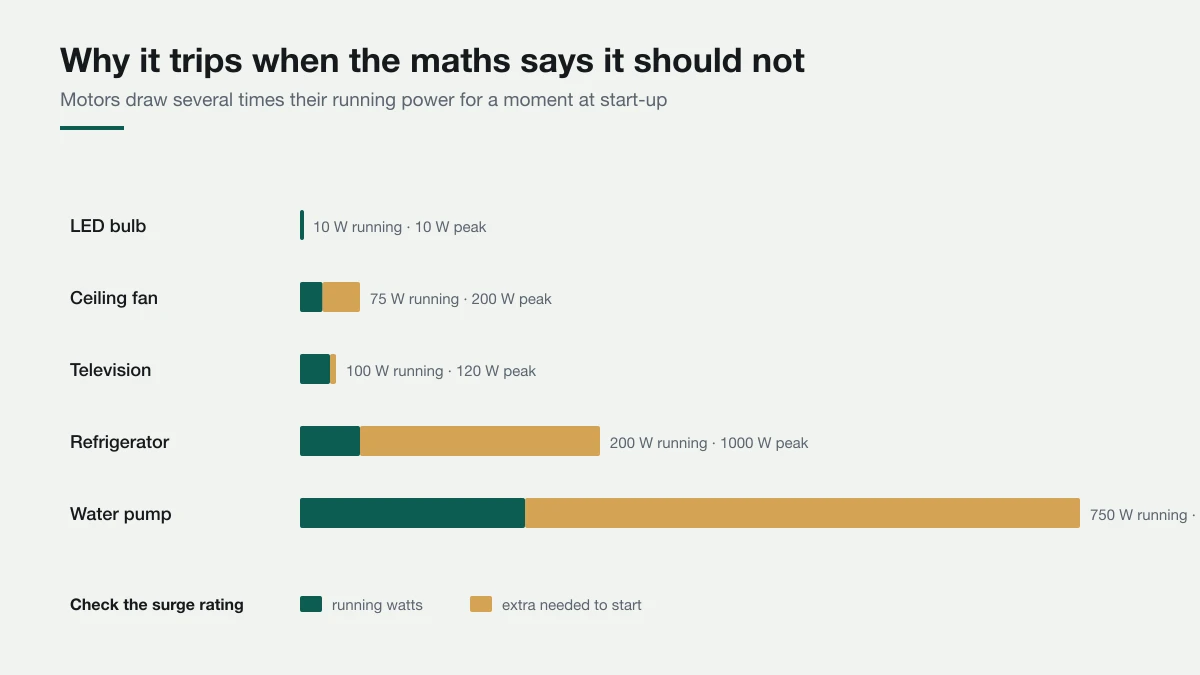
Anything with a motor pulls a large current for a fraction of a second as it starts. A fridge that runs at 200 W can demand 800–1200 W to get going. A water pump is worse.
This is why an inverter rated well above your total load still trips. Your arithmetic used running watts; the inverter met the start-up surge.
Three situations cause most of it:
- A motor starts while the inverter is already near its limit
- Two motors start together — fridge and pump, or several fans after a flicker
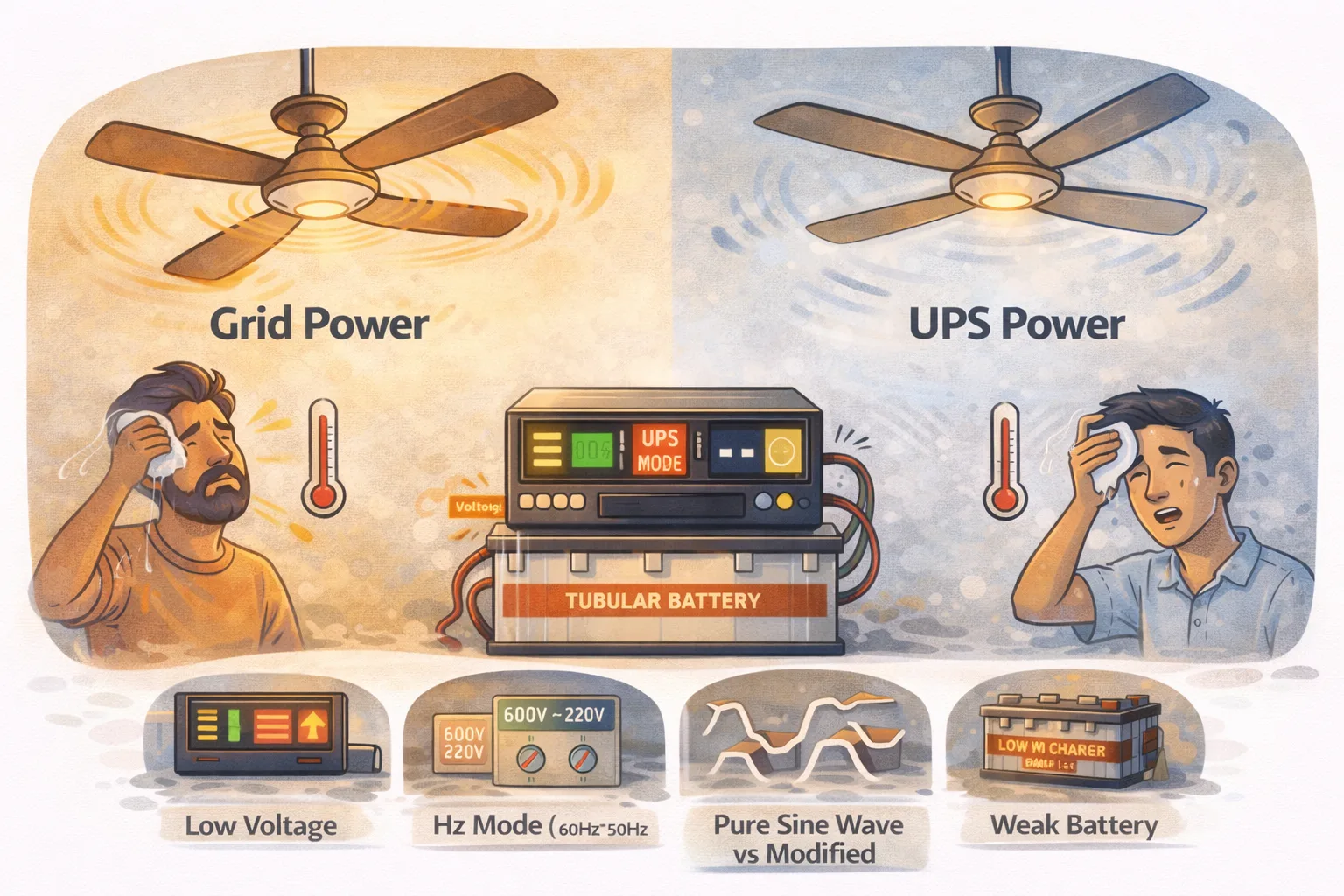
- Batteries are weak, so voltage sags under the surge and the inverter cuts out to protect itself
That last one matters: a tired battery makes a healthy inverter look faulty. If yours trips more than it used to with the same appliances, suspect the battery before the inverter. Fans running slower on backup is often the same story.
When the load or a surge is more than the inverter can supply, it beeps, shows overload and cuts out. UPS overload covers how to find which appliance is responsible.
Planning numbers for a backup circuit
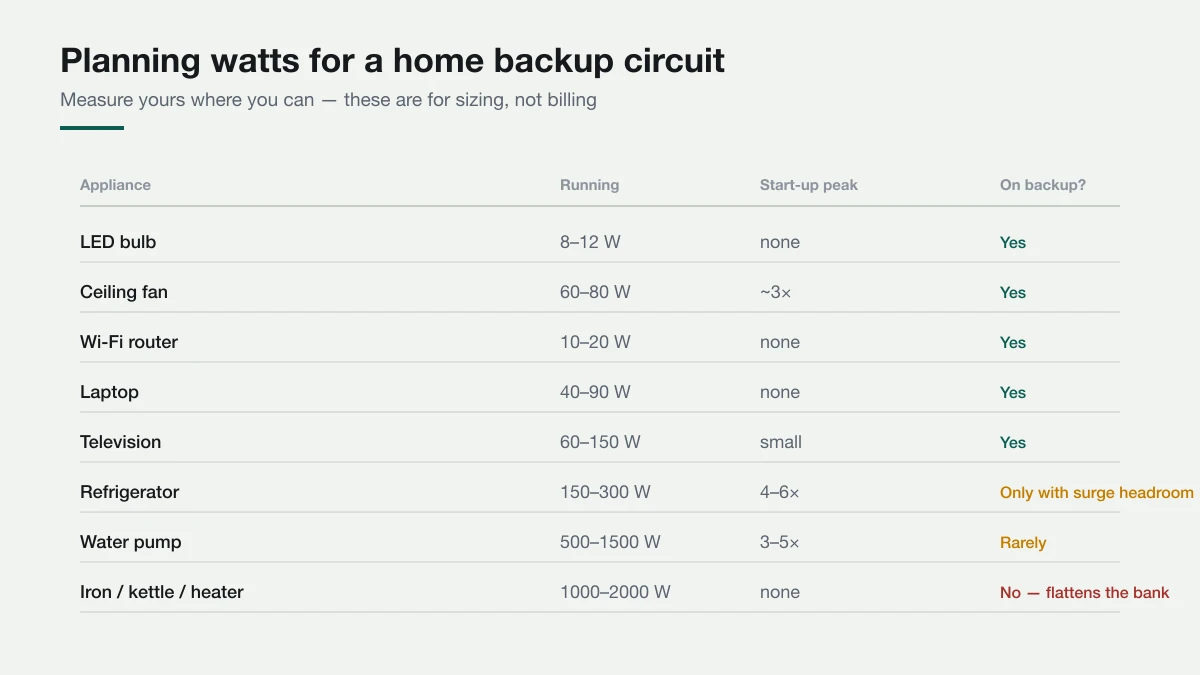
Add up only what you genuinely need during an outage. A typical evening looks like:
| Item | Count | Watts |
|---|---|---|
| Ceiling fans | 3 × 70 W | 210 W |
| LED bulbs | 6 × 10 W | 60 W |
| Wi-Fi router | 1 × 15 W | 15 W |
| Television | 1 × 100 W | 100 W |
| Total | 385 W |
That sits comfortably inside a 1000 VA (~800 W) inverter. The watts limit is satisfied. Now the harder question.
How long will it actually last?
This is where most estimates go wrong, because the sticker figure is not what you get.
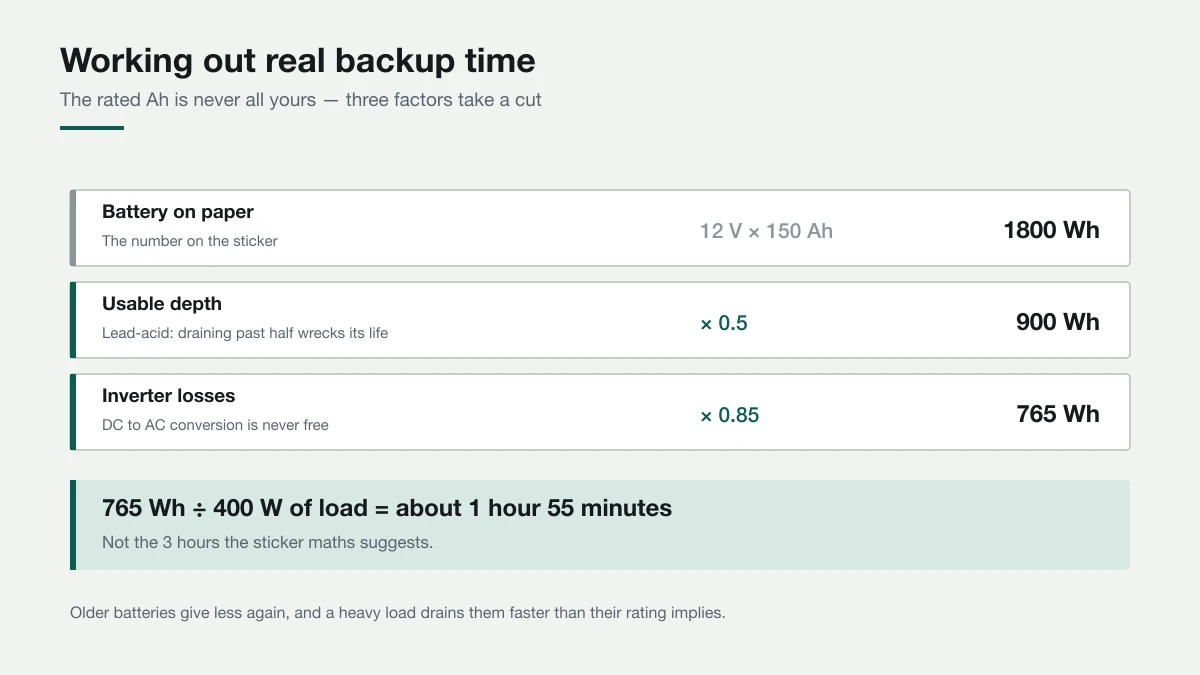
Start with the nameplate energy:
Volts × Amp-hours = Watt-hours. A 12 V 150 Ah battery is 1800 Wh on paper.
Then take two deductions:
- Depth of discharge. A lead-acid battery routinely drained past 50% will not last long. Usable energy is about half the nameplate. Lithium (LiFePO4) tolerates 80–90%, which is a large part of what you pay for.
- Inverter efficiency. Converting DC to AC costs roughly 15%.
So: 1800 × 0.5 × 0.85 = 765 Wh usable. At a 385 W load that is about two hours, not the three-plus that dividing the sticker figure suggests.
Two more things quietly reduce it further:
- Ah ratings are quoted at a slow 20-hour discharge. Draw hard and you get noticeably less than rated — a real effect, not pessimism.
- Age. A three-year-old battery may deliver 60–70% of what it did new.
If your backup collapses far short of even this figure, the battery is the suspect — see why an inverter battery drains fast overnight.
Series or parallel changes different things
Adding a second battery does not automatically double your runtime.
- Parallel (both at 12 V): capacity adds. Two 150 Ah batteries make a 12 V 300 Ah bank — double the runtime.
- Series (making 24 V): voltage adds, capacity does not. Two 150 Ah batteries make a 24 V 150 Ah bank. The watt-hours are the same as the parallel pair, but the current halves for the same load, so wiring and terminals run cooler and voltage sag is smaller under surge.
Higher system voltage is generally the better engineering for anything above a token load, which is why 24 V and 48 V setups dominate once people move past a single battery.
Measure instead of guessing
Two ways, both cheap:
- A plug-in energy meter. Put it between the wall and the appliance, read the watts. This settles arguments about fans and fridges in seconds.
- The inverter's own display. Many show load in watts or as a percentage. Switch things on one at a time during an outage and watch it climb — you learn your real load in a couple of minutes.
Once you know your genuine essential load, everything else is arithmetic instead of hope.
What not to put on backup
Heating loads convert electricity straight to heat, which means enormous continuous draw:
- Iron, kettle, toaster, room heater, electric stove: 1000–2000 W each
A single iron on a 765 Wh bank flattens it in around 25 minutes, assuming the inverter tolerates the load at all. Air conditioning is its own problem, covered in running an AC on a home UPS or inverter, and the fuller list is in what to avoid running on a UPS or inverter.
Refrigerators sit in between — possible, but only with genuine surge headroom. That case is worked through in can a UPS or inverter run a refrigerator safely.
A five-minute sizing method
- List what must stay on during an outage and add the running watts.
- Add the largest single surge in that list to your total — that is the peak the inverter must survive.
- Choose an inverter whose continuous rating clears the total with ~20% spare, and whose surge rating clears step 2.
- Decide how many hours you need, multiply by your load in watts to get watt-hours.
- Divide by 0.425 for lead-acid (that is 0.5 depth × 0.85 efficiency) to get the nameplate Wh you need to buy, then divide by system voltage for Ah.
Worked through for 385 W over 4 hours: 1540 Wh needed ÷ 0.425 = 3625 Wh of nameplate battery, which at 12 V is about 300 Ah — two 150 Ah batteries in parallel, or two in series on a 24 V inverter.
That is the whole calculation. Everything else is choosing between lead-acid and lithium, which is covered in lithium vs lead-acid for a home UPS.
Work it out for your own setup
Learn it by playing

Common questions
How many watts can a 1000 VA inverter handle?
About 800 W continuously, because home inverters typically deliver about 0.8 W per VA. A 1500 VA inverter is good for roughly 1200 W and 2000 VA for 1600 W. Motors also need surge headroom above that.
How many fans and lights can a 1 kVA inverter run?
Three 70–80 W ceiling fans, six LED bulbs, a router and a TV come to about 385 W, comfortably within a 1 kVA inverter's roughly 800 W. How long they run depends on the battery, not the inverter.
How long will a 150 Ah battery run a 400 W load?
About two hours. 12 V × 150 Ah is 1800 Wh on paper; half of that is usable for lead-acid, and 15% goes in inverter loss, leaving about 765 Wh. Heavy loads and older batteries give less.
Why does my inverter trip when the load is below its rating?
Usually a motor starting: a fridge or pump draws several times its running watts for a moment. Weak batteries that sag under that surge can also make a healthy inverter cut out.