Why Do My Fans Run Slower on UPS Power?
Fan speed follows voltage, and turning force its square, so a small sag shows. How to tell a weak battery from a waveform problem or a tired fan.
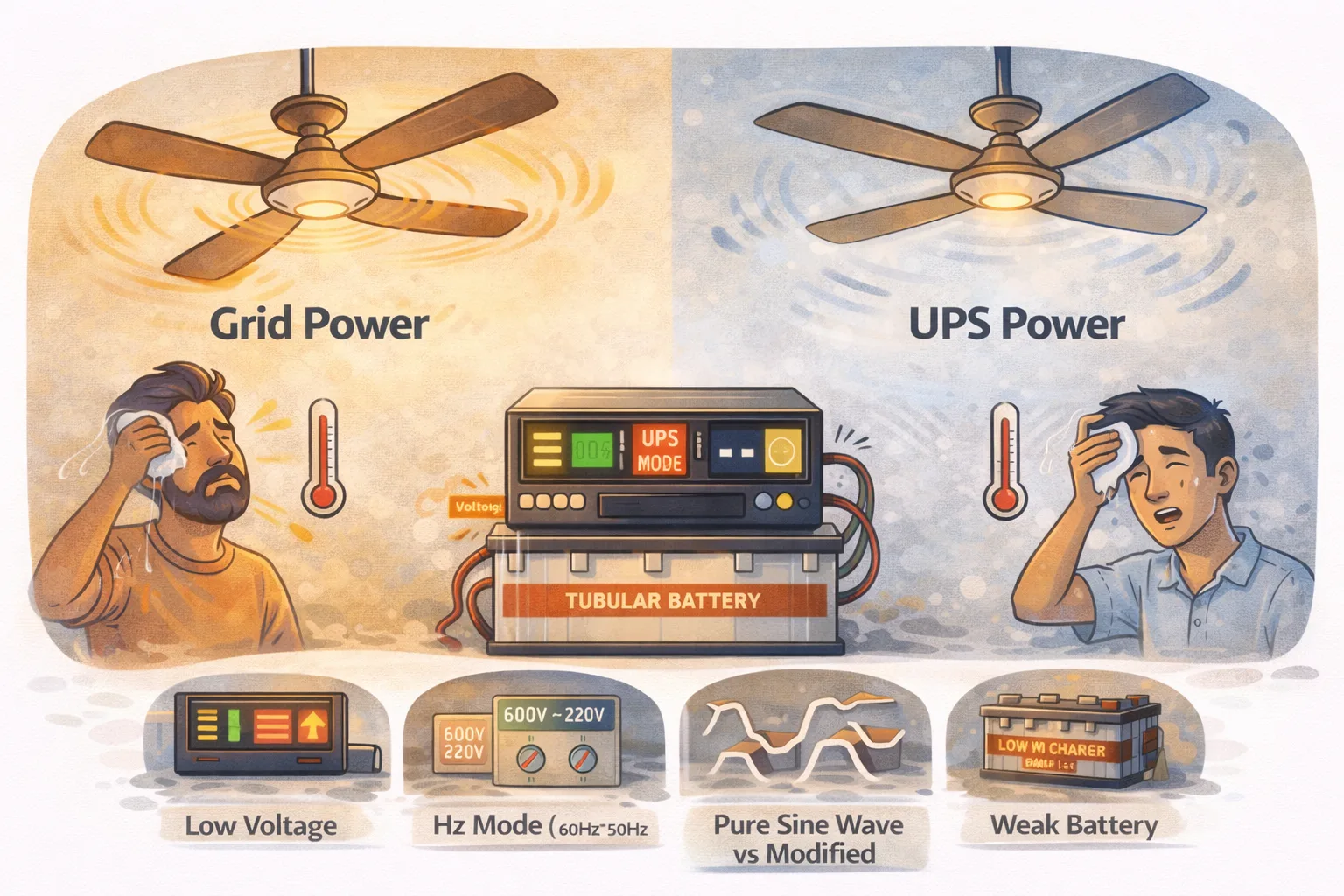
A ceiling fan is an induction motor, and induction motors are unusually fussy about what they are fed. Two things decide their speed: the voltage and the shape of the waveform. Backup power often gets both slightly wrong.
The useful part is that a fan makes a good diagnostic instrument. How and when it slows tells you whether the problem is the battery, the load, the inverter, the wiring or the fan itself.
Why a small voltage drop is so noticeable
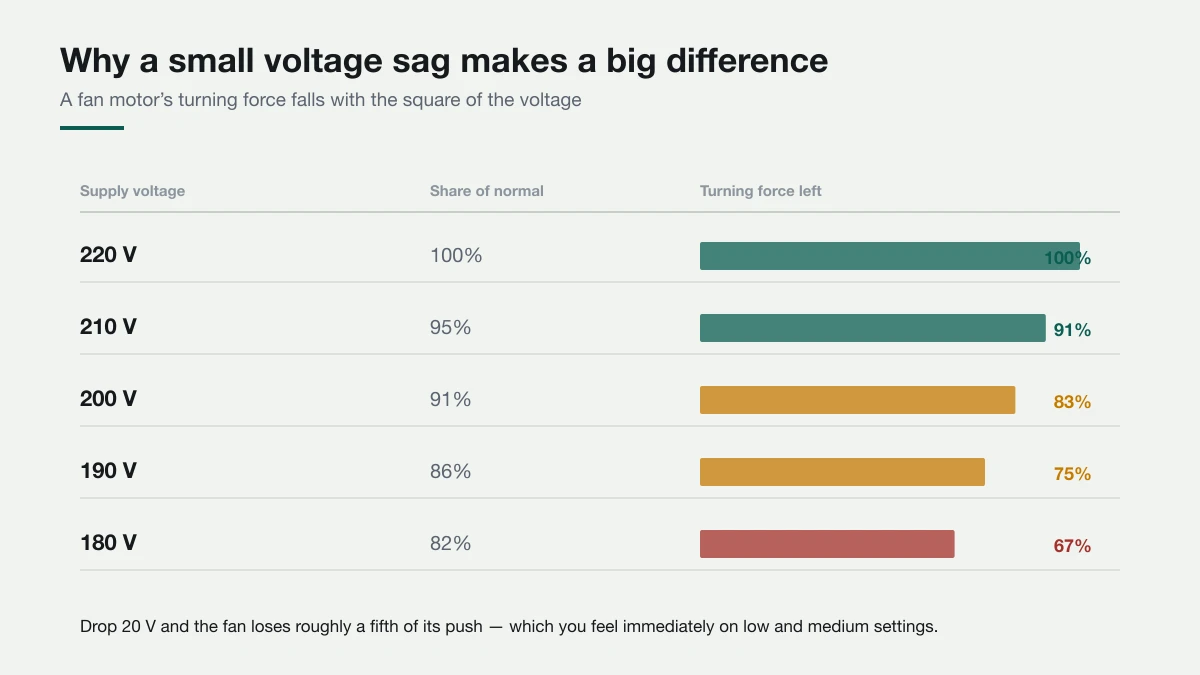
A motor's turning force falls with the square of the voltage. Drop from 220 V to 200 V — only 9% down — and the fan has lost about 17% of its push. At 180 V it has lost a third.
That squaring is why people are surprised. A voltage sag too small to notice on a light bulb is immediately obvious on a fan, especially on low and medium settings where there is little torque to spare.
So the first question is simply: is the inverter actually delivering full voltage under load? Many inverters display output voltage. If it reads 200 V or below while your fans are running, you have found the answer and everything below is about why.
Cause 1: the waveform is stepped, not smooth
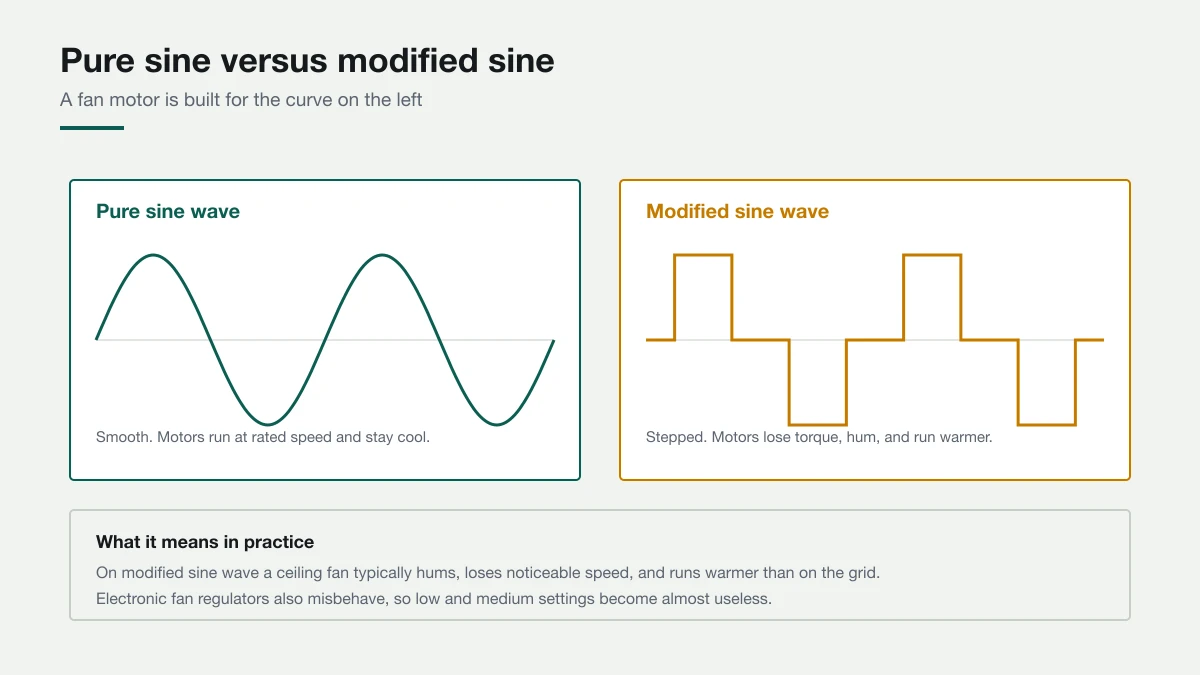
Grid power is a smooth sine wave. Many home inverters produce a modified sine wave — a stepped approximation that is cheaper to build.
A fan will run on it, but not happily. The stepped waveform carries harmonics the motor cannot turn into rotation, so some of the energy becomes heat and noise instead of airflow. In practice you get a fan that is slower, hums audibly, and runs warmer than on the grid.
Electronic fan regulators suffer too. Most work by chopping the waveform, and they misfire on a waveform that is already chopped — which is why low and medium settings often become useless on backup while full speed is nearly normal.
If your fans hum on backup and are quiet on the grid, the waveform is the likely culprit. It is a hardware characteristic, not a fault: the fix is a pure sine wave inverter. The same issue affects electronics, covered in running a computer or TV on a modified sine wave UPS.
Cause 2: the batteries are tired
This is the most common cause in homes where fans used to be fine.
A battery can charge fully and show a healthy resting voltage, yet collapse under load once its plates have aged. The inverter draws current, the battery voltage sags, the output voltage follows it down, and the fans slow.
The signature is progression: fans are acceptable when the outage starts and get worse over the next twenty minutes. A healthy bank holds voltage far more steadily. Alongside this you will usually see backup time much shorter than it was a year ago, and the low-battery alarm arriving early.
If that matches, why an inverter battery drains fast overnight covers what to check.
Cause 3: too much on the line at once
An inverter near its limit does not always trip. Many simply let output voltage sag, which shows up on your fans long before anything beeps.
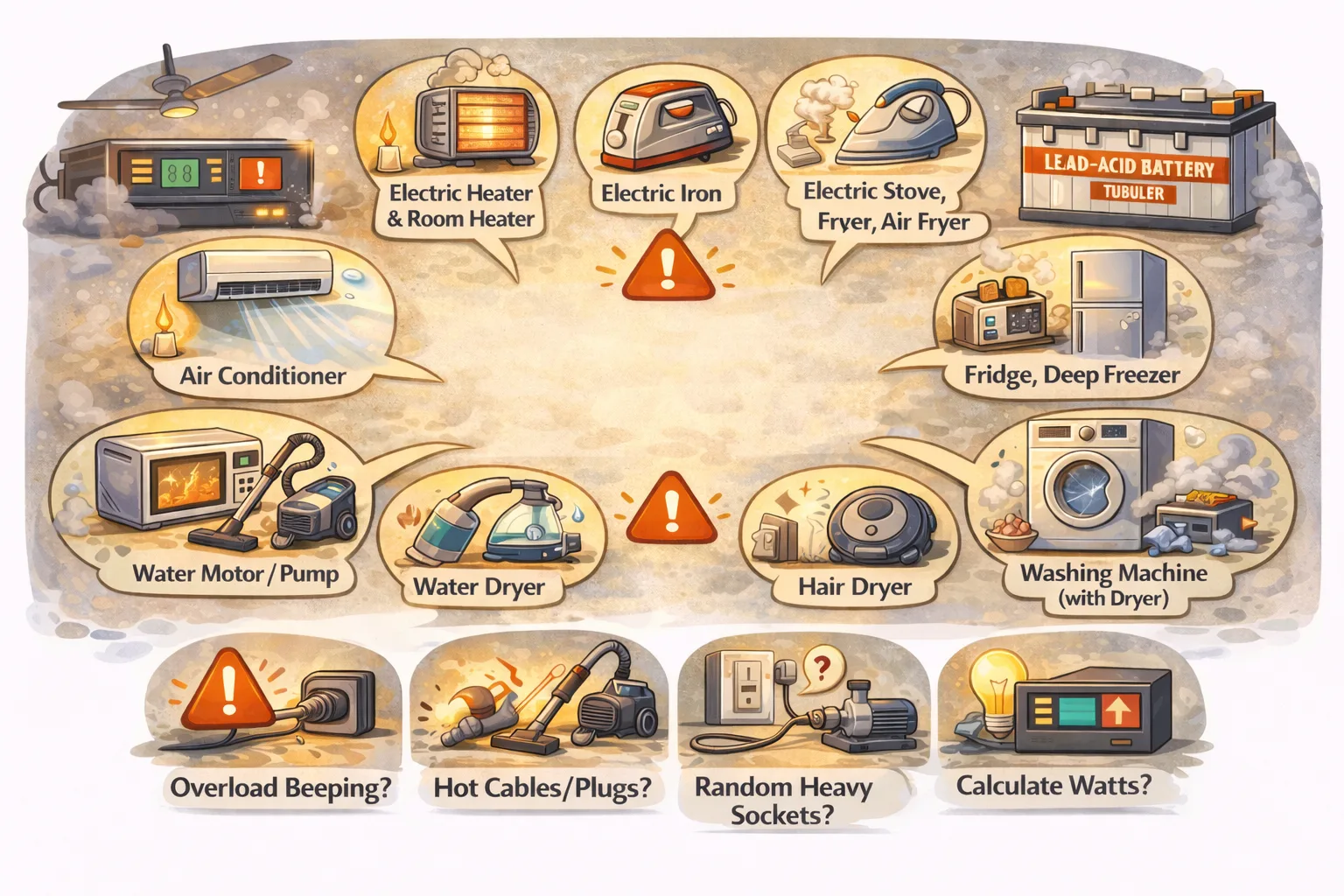
The classic case is three or four fans plus lights plus a TV plus a row of chargers, or something heavy switched on by mistake. If you are unsure what your circuit is actually carrying, understanding inverter load walks through adding it up.
Cause 4: the UPS wiring itself
Backup circuits are often added after the house was built, sometimes with thinner cable and more joints than the original wiring. Every metre of thin cable and every loose joint drops a little voltage, and the drop grows with current.
The giveaway is one room being worse than another on backup, while both are fine on the grid. That points at the wiring to the slow room rather than anything in the inverter.
Loose connections also produce heat. If a switch plate, socket or joint is hot after twenty minutes on backup, stop and have it looked at — that is a fire risk, not a performance annoyance.
Cause 5: the fan itself is worn
Ceiling fans use a run capacitor, typically 2.5–3.5 µF, to keep the motor turning efficiently. Capacitors dry out with age and heat. A weak one leaves a fan that starts sluggishly, runs below its old speed, and sometimes needs a nudge to get going.
The difference from every other cause on this list is that a failing capacitor makes the fan slow on grid power too — just less obviously, because the grid's higher, cleaner voltage masks it. Backup power removes that margin and exposes the weakness.
Narrowing it down in two steps
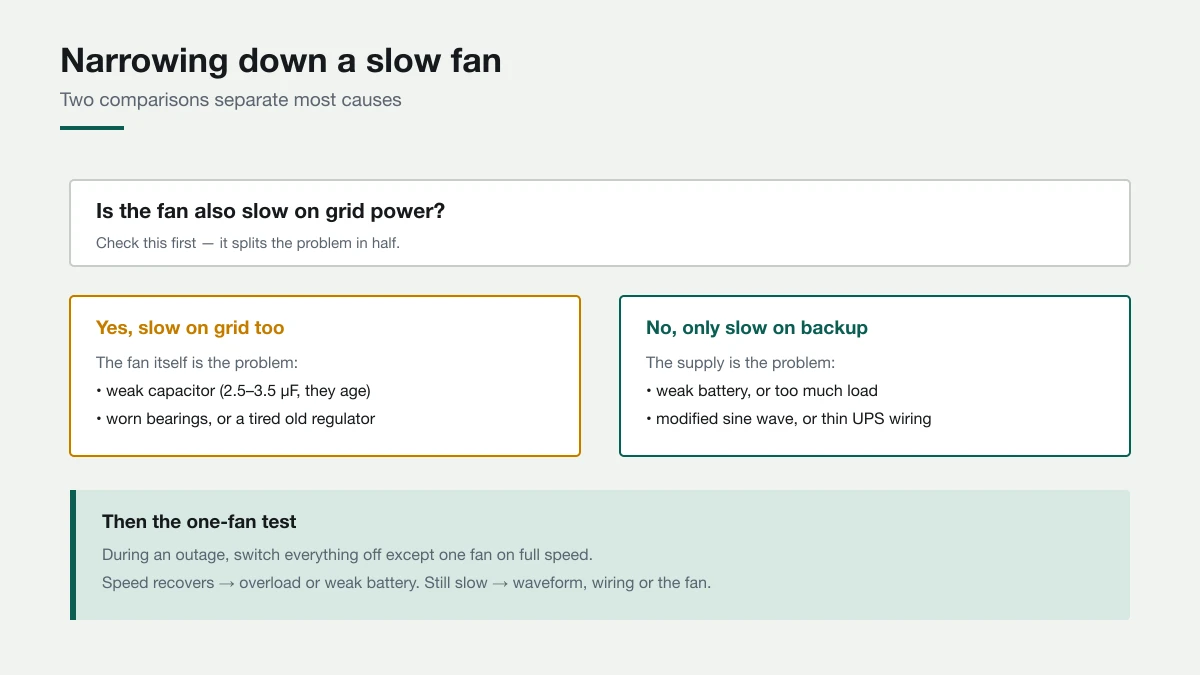
Step 1 — compare grid against backup.
- Slow on both → the fan is the problem. Capacitor, bearings or regulator.
- Slow on backup only → the supply is the problem. Continue to step 2.
Step 2 — the one-fan test. During an outage, switch off everything else and run a single fan at full speed.
- Speed comes back → you were overloaded, or the battery cannot support the full load.
- Still slow with just one fan → waveform, wiring, or output voltage. Check the inverter's voltage reading; if it is low with almost nothing connected, the inverter or its settings are at fault.
Step 3 — compare rooms. If one room is markedly worse than another under identical conditions, the difference is in the wiring to that room.
Those three comparisons need no instruments and separate nearly every case.
Safe checks while you are at it
After twenty to thirty minutes on backup, with the load running:
- Regulator plate — warm is normal for older coil types, very hot is not
- Sockets and extension leads — warm is acceptable, hot means a loose or undersized connection
- Inverter body — warm is expected; too hot too quickly suggests it is running near its limit, which inverter overheating covers
- Any burning smell — switch the backup load off and get the wiring checked before using it again
What actually improves it
Reduce what runs at once. The cheapest fix, and it works immediately if overload is the cause.
Replace tired batteries. If the sag worsens through the outage, no other change will help much.
Move to a pure sine wave inverter. The right answer if fans hum on backup and are quiet on the grid — and it improves electronics and fridge behaviour at the same time.
Have the fan capacitor replaced. Cheap, quick, and the fix when the fan is slow on grid power too.
Get the backup wiring checked. Especially where one room is consistently worse, or anything runs hot.
Work through them in that order. The first two solve most cases, and both are things you can test before spending anything.
Work it out for your own setup
Common questions
Why do ceiling fans run slow on an inverter?
Usually one of three things: a modified sine wave output, which makes fans slower, humming and warm; battery voltage sagging under load as the battery ages; or too much load on the inverter. Worn fan capacitors and thin backup wiring are the other common causes.
Does a pure sine wave inverter make fans run at normal speed?
If the slowdown comes from the waveform, yes: fans run quieter and close to their grid speed on pure sine wave. It will not fix a weak battery, an overloaded inverter or a fan with a failing capacitor.
Why do fans get slower as the outage goes on?
That progression points to the battery. An ageing battery's voltage sags more and more under load, and the inverter's output follows it down. Shortening backup time and an early low-battery alarm usually come with it.
How can I tell if the fan capacitor is the problem?
Compare the fan on grid power and on backup. If it is slow on both, the fan itself is at fault, most often a dried-out run capacitor, typically 2.5–3.5 µF, which is cheap to replace.