Why Does My UPS Make a Clicking Sound Off and On?
The rhythm tells you the cause: one click is normal switching, clicks every few seconds mean low voltage, and rapid chatter means a loose connection.
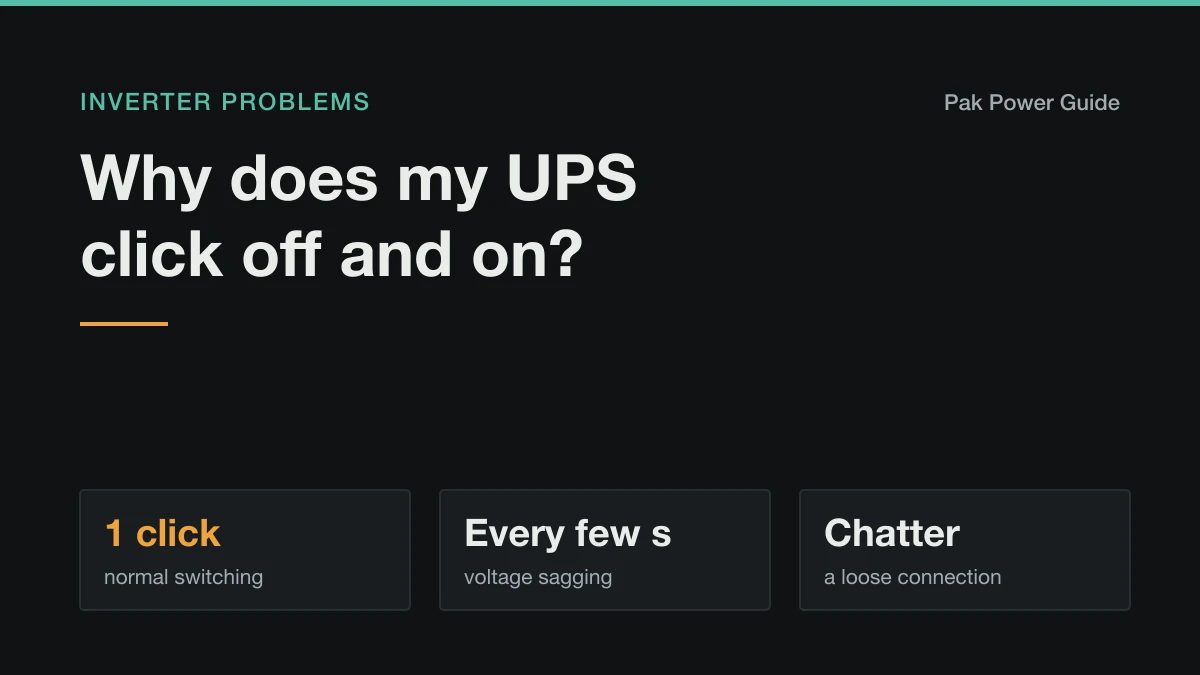
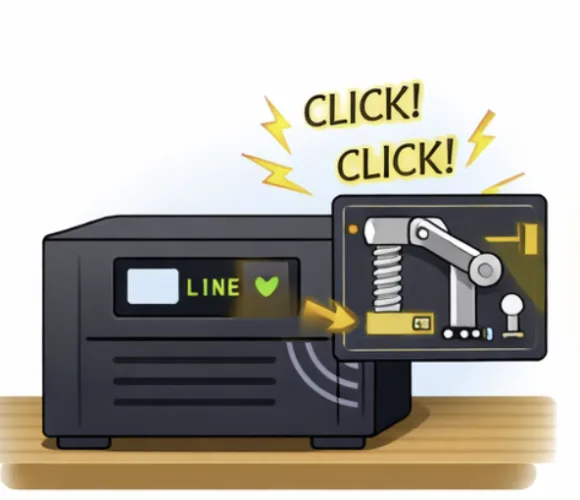
That click is a relay — a mechanical switch inside the inverter — opening or closing. On its own it is entirely normal: it is the sound of the unit changing between grid and battery.
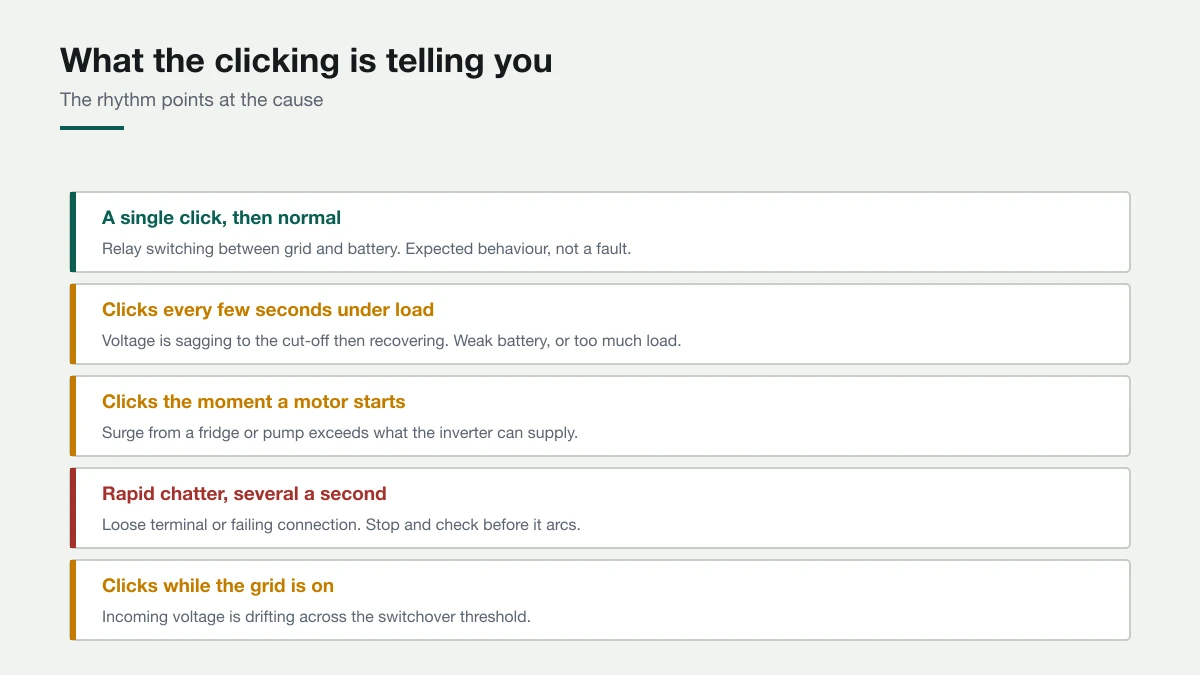
What matters is the rhythm. A single click is the inverter doing its job. Clicking over and over means it is repeatedly deciding it cannot supply what is being asked, and that has a small number of causes.
Read the pattern first
| What you hear | What it usually means |
|---|---|
| One click, then normal running | Relay switching between grid and battery. Expected. |
| Clicks every few seconds under load | Voltage sagging to cut-off, then recovering. Weak battery or too much load. |
| Clicks the instant a motor starts | Start-up surge exceeds what the inverter can supply. |
| Rapid chatter, several per second | Loose terminal or failing connection. Stop and check. |
| Clicking while the grid is on | Incoming voltage drifting across the switchover threshold. |
The last row surprises people: clicking when the power is on is a grid problem, not a battery one. If yours beeps rather than clicks, the beep pattern has meanings of its own: why is my UPS beeping.
Cause 1: the battery cannot hold voltage under load
The most common cause of repeated clicking during an outage.
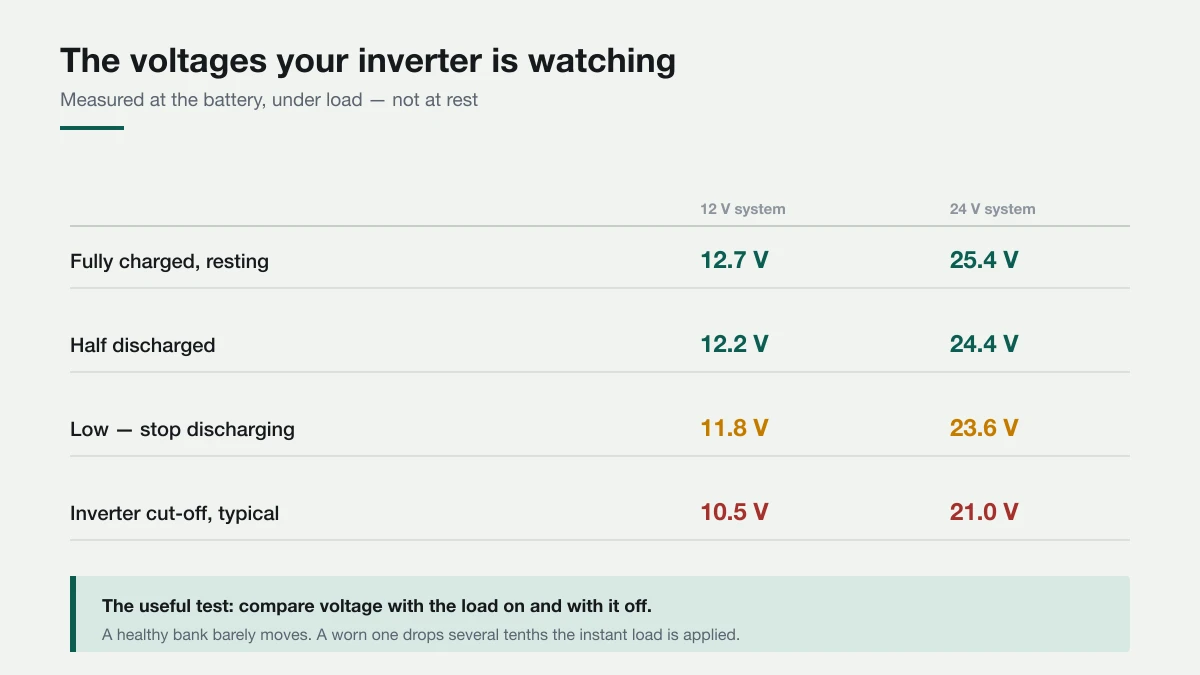
The inverter switches to battery, the voltage sags below its cut-off, it disconnects to protect the battery, the voltage recovers with no load, it tries again — click, click, click.
| State | 12 V system | 24 V system |
|---|---|---|
| Fully charged, resting | 12.7 V | 25.4 V |
| Half discharged | 12.2 V | 24.4 V |
| Low — stop discharging | 11.8 V | 23.6 V |
| Typical inverter cut-off | 10.5 V | 21.0 V |
The decisive test: note the battery voltage with the load on, then again with it off. A healthy bank barely moves. A worn one drops several tenths of a volt the moment load is applied — that sag is what trips the cut-off.
If reducing to one fan and a light stops the clicking, you have confirmed it. Whether that is a tired battery or simply too much load is settled by why an inverter battery drains fast overnight.
Cause 2: a surge it cannot supply
If clicking coincides exactly with a fridge compressor or a water pump starting, it is surge rather than capacity.
Motors demand three to six times their running watts for a fraction of a second. The inverter sees an instantaneous overload, trips, retries, and the motor tries to start again — which is hard on both.
Do not leave it retrying. Repeated stalled starts heat compressor windings quickly and are one of the more reliable ways to damage a fridge. Switch that appliance off the backup line and decide deliberately whether it belongs there — can a UPS or inverter run a refrigerator safely covers the surge figures.
Cause 3: a loose or corroded connection
Rapid chatter — several clicks a second — deserves immediate attention.
A loose terminal makes intermittent contact. Voltage collapses and recovers many times a second, and the relay follows it. Beyond the noise, an intermittent connection carrying high current arcs, and arcing at battery currents starts fires.
With everything switched off, check that every lug is tight enough not to rotate by hand, and look for white or green corrosion on the posts. If you see blackening, melted insulation or smell burning, stop and get it inspected. The current involved is far higher than household wiring carries — see cable sizing.
Cause 4: it never charges fully
If the battery starts every outage at 70%, it reaches the cut-off quickly and clicking follows.
Check whether it genuinely reaches full after a long grid period. Many displays report full at the start of the absorption stage, which is around 80%. Charge current set too low is the usual reason it never finishes — how long a full charge takes has the figures.
Cause 5: unstable grid voltage
Clicking while mains is present, often at peak evening hours and alongside dim lights, means incoming voltage is hovering around the inverter's switchover threshold. It transfers to battery, the voltage recovers, it transfers back, repeatedly.
This is hard on the relay and on the battery, which is being shallow-cycled all evening. Some inverters let you widen the input voltage window, which stops the hunting. Where supply voltage is chronically low, a stabiliser ahead of the inverter is the usual remedy.
What to do, in order
- Listen to the rhythm and match it to the table above.
- Reduce to a single fan and a light. If clicking stops, it is load or battery capacity.
- Note the voltage with load on and off. A large sag means the battery.
- Check whether it coincides with a motor starting. If so, that appliance is the cause.
- Check terminals for tightness and corrosion — especially with rapid chatter.
- Check whether it reaches full after a long grid window.
- Notice whether clicking happens with mains present. That points at the grid, not the battery.
When to stop using it
Switch the backup off and call someone if:
- The clicking is rapid chatter that does not stop when you reduce load
- Any burning smell, smoke, or visible scorching at terminals or sockets
- Terminals or cables are too hot to touch
- It clicks continuously even with almost nothing connected
Rapid chatter with a hot terminal is the one combination worth treating as urgent — that is an arcing connection carrying high current, and it does not improve on its own.
Work it out for your own setup
Common questions
Is it normal for a UPS to click?
A single click as it switches between grid and battery is normal: it is the relay changing over. Repeated clicking every few seconds, clicking whenever a motor starts, or rapid chatter are signs of a problem.
Why does my UPS keep clicking during a power cut?
Most often the battery cannot hold voltage under load: it sags to the cut-off, the inverter disconnects, the voltage recovers and it tries again. Reduce to one fan and a light; if the clicking stops, the cause is load or a worn battery.
Why does my inverter click when the power is on?
Incoming mains voltage is hovering around the inverter's switchover threshold, so it keeps transferring to battery and back. Widening the input voltage range, where the inverter allows it, or a stabiliser ahead of it, usually stops it.
When is inverter clicking dangerous?
Rapid chatter, several clicks a second, especially with a hot terminal, can mean a loose connection arcing at battery current, which is a fire risk. Switch off, check the terminals with everything disconnected, and get it inspected if there is any scorching or burning smell.