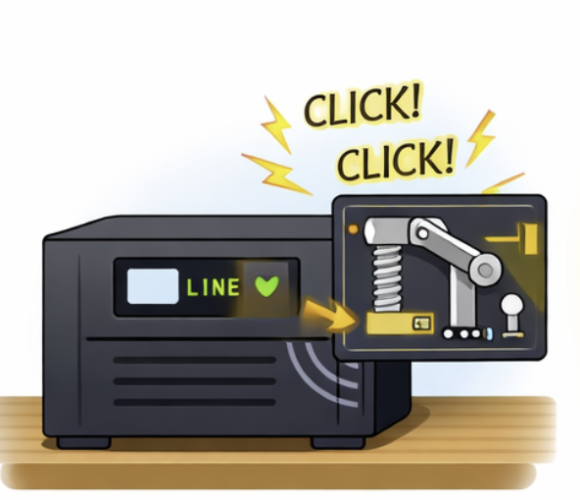
In Pakistan, many homes depend on a UPS/inverter because load shedding can happen anytime. So when the UPS starts making a “click… click…” sound and keeps switching off and on, it feels scary. The good news is: most of the time it’s a protection feature doing its job.
That clicking is usually a relay (an internal switch) turning the UPS output on/off. It happens when the UPS is trying to change mode, protect itself from low battery, overload, bad wiring, or unstable input.
Below are the most common reasons in Pakistani home setups, and simple checks you can do yourself.
Common UPS setups in Pakistani homes
Most houses use one of these:
-
UPS + external lead-acid batteries (tubular or flat plate), often 1 or 2 batteries (12V or 24V system).
-
Inverter with charger built-in, connected to batteries and sometimes powering selected lights/fans via a changeover.
-
Hybrid inverter + batteries (some people also add solar later).
-
UPS powering “backup circuit” (fans, lights, Wi-Fi, maybe TV) through a separate wiring line.
In all of these, clicking usually means the UPS is struggling to keep stable output.
The most common reasons for clicking off and on
1) Low battery voltage (battery is weak or discharged)
When load shedding happens, the UPS shifts to battery mode. If the battery voltage drops quickly, the UPS will cut off to protect the battery, then try again, then cut off again — causing repeated clicks.
Typical signs
-
Backup time has become very short compared to before.
-
Voltage display drops fast under load.
-
UPS works fine when WAPDA is on but clicks during outage.
At-home checks
-
Turn off heavy loads and keep only 1 fan + a few lights. If clicking stops, battery weakness is likely.
-
If your UPS shows battery voltage, note it with load and without load. A big drop under load usually means weak battery.
2) Overload or sudden surge on backup line
In Pakistani homes, people sometimes unknowingly run fridge, iron, microwave, water pump, or a big motor load on UPS line. Motors and compressors take a huge starting current. The UPS senses overload and trips, then retries — click, click.
Typical signs
-
Clicking happens when fridge kicks in, or when a pump starts.
-
UPS runs fine with lights but trips with an appliance.
At-home checks
-
During load shedding, unplug fridge/LED TV/heater from UPS sockets.
-
If your home has a “UPS wiring line,” try switching off one circuit breaker at a time to see which line causes tripping.
-
Check if someone recently added a new appliance to backup sockets.
3) Loose battery terminals or corroded wiring
This is very common with tubular batteries. Loose nuts, rust, or thin wires cause voltage drops and sparks under load. The UPS senses instability and keeps switching.
Typical signs
-
Clicking even with small load.
-
Sometimes you smell slight burning, or terminals look white/green.
-
UPS display flickers when it clicks.
At-home checks (safe)
-
Switch OFF the UPS and mains input first.
-
Look at battery terminals: are they tight, clean, and not blackened?
-
If there is corrosion (white/green powder), clean it carefully with a dry brush. If it’s heavy corrosion, call a technician.
-
Ensure cable lugs are not moving by hand.
4) Weak charging or charger problem (battery never gets fully charged)
If the UPS charger is faulty, or charging settings are wrong, the battery stays half-charged. During outage, it drops voltage quickly and clicks.
Typical signs
-
Battery indicator never reaches full.
-
UPS takes “forever” to charge, or gets stuck at a certain level.
At-home checks
-
After a long WAPDA-on period (like overnight), see if battery looks fully charged on the UPS.
-
If your UPS has charging modes (low/medium/high), use the recommended setting for your battery size. Too low = undercharge; too high = overheating.
5) WAPDA voltage fluctuations and “fast switching”
During low voltage in many areas, UPS keeps shifting between mains and battery rapidly. Each shift can make a click.
Typical signs
-
Clicking happens even when electricity is “on” but lights are dim.
-
UPS keeps changing modes frequently in the evening peak hours.
At-home checks
-
Observe if clicking matches low voltage times (usually evenings).
-
If you have a voltage display on UPS, watch input voltage.
-
If input voltage is unstable, a stabilizer or proper wiring check may be needed.
6) Bad changeover / wiring issue in the backup circuit
Many homes use a changeover switch or separate DB wiring for UPS. A loose neutral, wrong earthing, or shared neutral can confuse the UPS and cause repeated cutoffs.
Typical signs
-
Clicking happens mostly when UPS is powering the house wiring line (not when using only UPS sockets).
-
Lights flicker strangely, some rooms behave differently.
At-home checks
-
Test UPS with a small load directly on UPS sockets (fan + light).
-
If it’s stable on sockets but not stable on house wiring, the issue is likely wiring/changeover.
-
-
Check for any burnt smell near the changeover or DB (don’t open it yourself if you’re not experienced).
7) Internal relay or PCB issue (aging UPS)
Sometimes the relay itself is failing, or the UPS control board is unstable. Then it clicks even when everything else seems fine.
Typical signs
-
Clicking continues regardless of load.
-
UPS behaves randomly, shows error codes, or restarts.
-
UPS is quite old or had previous repairs.
At-home checks
-
Do the battery terminal check and load reduction test first.
-
If clicking still continues with a very small load and good battery, get it checked by a technician.
Practical step-by-step troubleshooting at home
Step 1: Reduce load to the minimum
During outage, keep:
-
1 fan
-
a few lights
-
Wi-Fi router
Turn off everything else. If clicking stops, overload or weak battery is likely.
Step 2: Check battery condition (simple observation)
-
Is backup time much shorter than before?
-
Does voltage drop fast when load starts?
-
Are batteries more than 2–3 years old (for many local setups, this is where problems begin)?
If yes, battery weakness is a strong suspect.
Step 3: Inspect battery cables and terminals
With UPS OFF:
-
Tighten loose connectors (gently, don’t over-tighten).
-
Look for corrosion, heating marks, or melted plastic.
-
Ensure correct polarity (red to +, black to -). Wrong/loose connections can cause clicking and damage.
Step 4: Separate “UPS sockets test” vs “UPS wiring line test”
-
Run a small load on UPS sockets only.
-
Then test on the house backup wiring line.
This helps you know if the problem is UPS/battery or home wiring/changeover.
Step 5: Note when it happens
-
Only during load shedding? → battery/load issue
-
Only when WAPDA is on but low voltage? → voltage fluctuation issue
-
All the time? → relay/PCB/wiring issue
Safety notes you shouldn’t ignore
If you notice these, stop using it and call a technician
-
Burning smell
-
Sparks at terminals
-
Hot battery cables
-
Battery bulging or leaking
-
UPS making loud buzzing + clicking
Batteries can be dangerous if mishandled.
Quick fixes that often solve it
If it’s overload
-
Remove fridge/pump/heater from backup circuit.
-
Keep only “light loads” on UPS: lights, fans, Wi-Fi.
If it’s weak battery
-
Load reduction can help temporarily, but battery replacement may be needed.
-
Also confirm charging is working properly.
If it’s loose terminals
-
Tighten and clean terminals (safely).
-
Replace thin/old cables if they heat up.
If it’s unstable WAPDA voltage
-
Avoid frequent mode switching by ensuring proper input wiring.
-
If your area has extreme low voltage, consult an electrician about stabilizer or proper protection.
When to call help (and what to tell them)
If you call a technician, give them clear info:
-
UPS brand/model and battery size (e.g., 2x 150Ah tubular)
-
Does clicking happen on battery mode, mains mode, or both?
-
What loads are connected?
-
Any recent wiring changes?
This saves time and helps them diagnose faster.