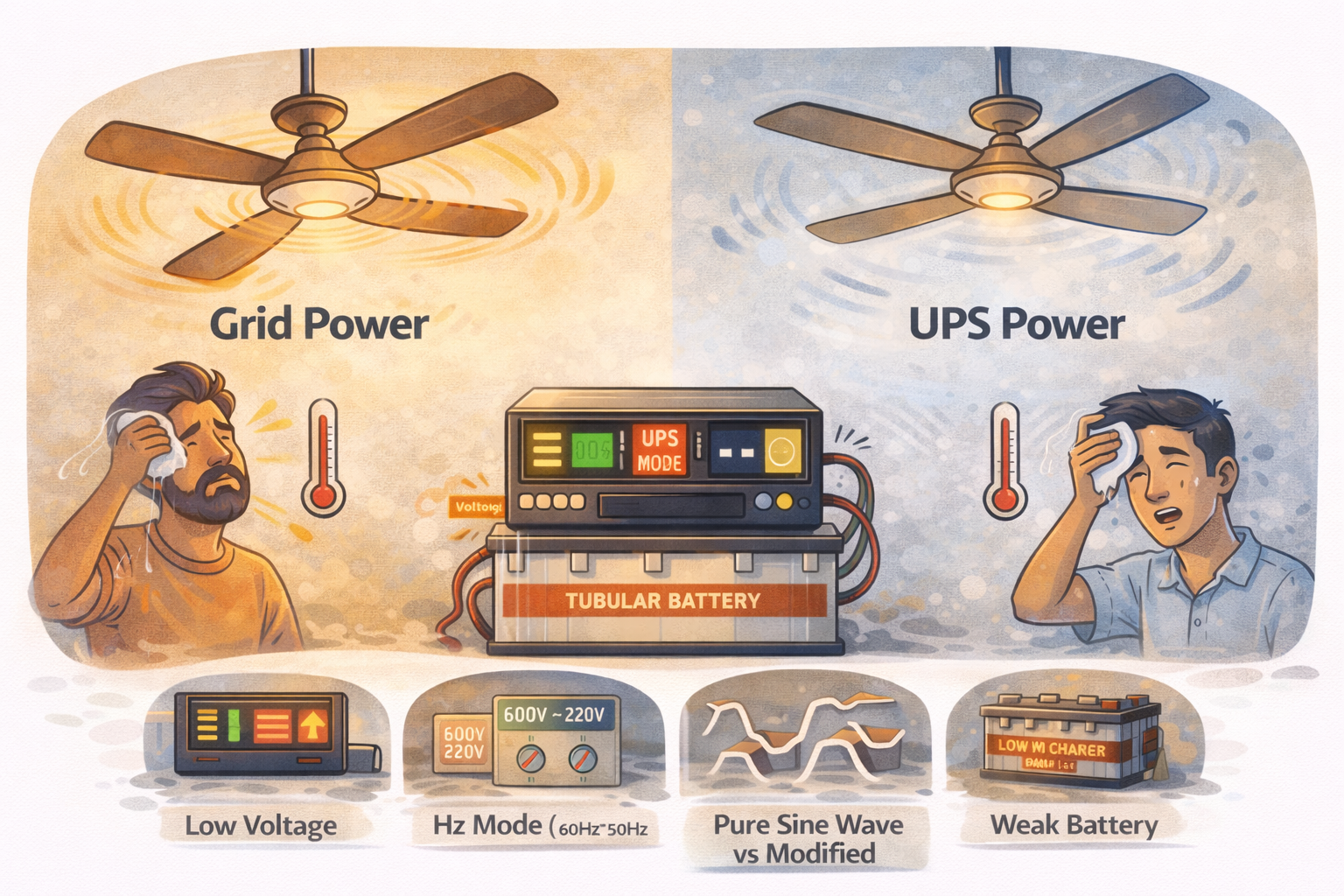
In Pakistan, load shedding can start without warning. When mains/grid power goes (it could be K-Electric, WAPDA, or another provider depending on your city), most homes switch to a UPS or inverter so at least fans, lights, and Wi-Fi keep running.
A very common complaint is: the fan is on, but it feels weak. The speed drops, the air throw becomes low, and sometimes the fan sound changes slightly.
This usually happens because UPS/inverter power is not exactly the same as normal mains/grid power. Fans can run on it, but they don’t always run at full speed.
What “Slow Fan on UPS” Usually Looks Like
You might notice:
-
Fan speed drops as soon as the power outage starts
-
Fan is okay on the highest setting, but low/medium settings feel useless
-
Fan hums more on UPS
-
Speed becomes better when you turn off other loads
-
Speed gets worse as the outage continues (battery draining)
These clues help you find whether the issue is battery, load, wiring, or inverter type.
The Real Reasons Fans Slow Down on UPS
Voltage drops under load
Ceiling fans are very sensitive to voltage. On mains/grid power, you typically get around 220V (not always perfect, but close). On UPS mode, the inverter has to create 220V from the battery.
If the battery is weak, or you are running too many things, the inverter output voltage can sag. Even a small drop can reduce fan speed noticeably.
This is why one fan may feel fine, but three fans together feel slow.
Your UPS output waveform is different (modified sine wave)
Many home UPS/inverters are modified sine wave (sometimes called square wave). Mains/grid power is closer to a smooth sine wave.
A ceiling fan motor is happier with a smooth waveform. On modified sine wave:
-
The motor can run less efficiently
-
The fan can lose torque (feels weaker)
-
You may hear extra humming
-
The motor can run a bit warmer
Pure sine wave inverters usually give more “normal” fan speed and sound.
Batteries are aging (biggest reason in many homes)
A battery can still charge and show “full,” but under load it may not deliver strong current. When load shedding starts, battery voltage drops quickly, the inverter struggles, and your fans slow down.
Common signs of weak batteries
-
Backup time is much shorter than before
-
Fan speed drops more as minutes pass
-
Inverter shows low battery early
-
Inverter beeps when load increases
Your inverter is overloaded (or close to its limit)
During outages, people often run:
-
2–4 fans
-
lights
-
Wi-Fi router
-
TV
-
chargers
-
sometimes fridge by mistake
-
sometimes water pump (very heavy)
Even if the inverter doesn’t fully trip, it may reduce output voltage slightly to protect itself. That small drop shows up immediately as slower fan speed.
Wiring and connections on the “UPS line” cause voltage drop
Many houses have a separate UPS wiring line connected through a changeover. If the wiring is thin, joints are loose, or the run is long, voltage drop becomes worse on UPS.
Loose connections also create heat. Heat is a warning sign.
If one room’s fan is always slower on UPS compared to another room, wiring differences can be the reason.
Fan capacitor is weak (especially in older fans)
Ceiling fans use a capacitor to maintain torque and speed. When it becomes weak, the fan might still look “okay” on mains/grid power, but it becomes noticeably slow on UPS.
Capacitor weakness signs
-
Fan sometimes slow even on mains/grid power
-
Fan starts slowly or needs a push (in worse cases)
-
Speed changes randomly
Capacitor problems are common and often cheap to fix.
Regulator type and quality matters
Old coil regulators waste power as heat. Cheap electronic regulators can also behave poorly on modified sine wave.
On UPS power, a weak/cheap regulator may reduce voltage more than expected, making the fan feel much slower on low/medium settings.
Common Inverter Setups in Pakistani Homes (And How They Behave)
12V UPS with a single battery
This setup is usually meant for light loads like Wi-Fi and a couple of lights. Running multiple fans can cause voltage sag quickly, especially if the battery is not new.
24V system with two batteries
This is more stable for fans. If fans are still slow, the reason is often waveform type (modified sine wave), weak batteries, or too much load.
Bigger inverter/hybrid inverter with 2–4 batteries
Fans usually run better here because the system handles load and surge more easily. If fans are still slow, check wiring, regulators, or capacitor issues.
Practical Checks You Can Do at Home
Check 1: Do a simple “load test”
When the outage starts:
-
Turn on only one fan (on full speed).
-
Turn off extra fans, heavy lights, TV, chargers.
-
See if the fan speed improves.
If speed improves clearly, your issue is overload or weak battery.
Check 2: Watch inverter output voltage (if your inverter shows it)
Many inverters show output voltage and load %. On UPS mode:
-
If output voltage is significantly low, that’s the direct reason your fan is slow.
-
If voltage starts okay and drops later, the battery is likely struggling.
If your inverter doesn’t show voltage, you can use a simple plug-in voltmeter (optional, not required).
Check 3: Check battery voltage drop (again, if visible)
If your inverter shows battery voltage, watch what happens when fans start.
-
A big drop when the fan starts suggests weak batteries or too much load.
-
A steady voltage with slow fan suggests waveform/regulator/capacitor issues.
Check 4: Compare rooms (wiring clue)
If one fan is slow on UPS but another is almost normal:
-
The slow room may have thinner wiring, longer wiring distance, or loose connections.
-
The faster room may have cleaner wiring or a better regulator.
This comparison is a very practical way to spot wiring-related voltage drop without tools.
Check 5: Feel for heat (safe warning sign)
After 20–30 minutes on UPS:
-
Touch the regulator plate (carefully). If it’s very hot, it may be wasting power.
-
Touch the plug point/extension (carefully). Warm is okay, hot is not.
-
Check inverter body temperature. Very hot quickly can mean overload.
If anything smells like burning, switch off backup load and get wiring checked.
Check 6: Quick capacitor suspicion test
-
Fan slow on mains/grid power too → capacitor (or fan motor) is likely weak.
-
Fan normal on mains/grid power but slow only on UPS → more likely battery/load/waveform issue.
You’ll still need an electrician for replacement, but this helps you narrow it down.
What You Can Do to Improve Fan Speed on UPS
Reduce load during outages
Keep backup for essentials: fans, lights, Wi-Fi. Avoid heavy items like iron, heater, microwave, pump, and fridge unless your system is designed for it.
Keep batteries healthy
Weak batteries cause voltage sag and slow fans.
If you have lead-acid batteries:
-
Maintain water level if applicable (don’t overfill)
-
Avoid deep discharging daily
-
Make sure charging settings are correct
If batteries are old and backup time has dropped a lot, replacement may be the real fix.
Replace weak capacitors and bad regulators
If a fan is old and slow, capacitor replacement often restores speed. A better quality regulator also helps, especially on UPS.
Get wiring and connections checked
Loose joints and thin wires cause voltage drop and heat. A qualified electrician can tighten connections, improve joints, and check the UPS line properly.
If upgrading, prefer pure sine wave for fans
If you’re already planning a change later, pure sine wave inverters usually run fans more smoothly and quietly than modified sine wave.
When You Should Worry
Stop and get the system checked if you notice:
-
Inverter keeps clicking on/off
-
Inverter overload alarm or frequent beeps
-
Switchboard/regulator getting very hot
-
Burning smell
-
Fan speed pulsing up and down
These signs point to overload, wiring faults, or serious battery weakness.