In Pakistan, power cuts are part of daily life. Sometimes it’s a short 15–30 minute outage. Sometimes it’s hours. When mains/grid power goes (it could be K-Electric, WAPDA, or another provider depending on your city), everyone wants the same thing: fans should keep running, lights should stay on, and basic home life shouldn’t stop.
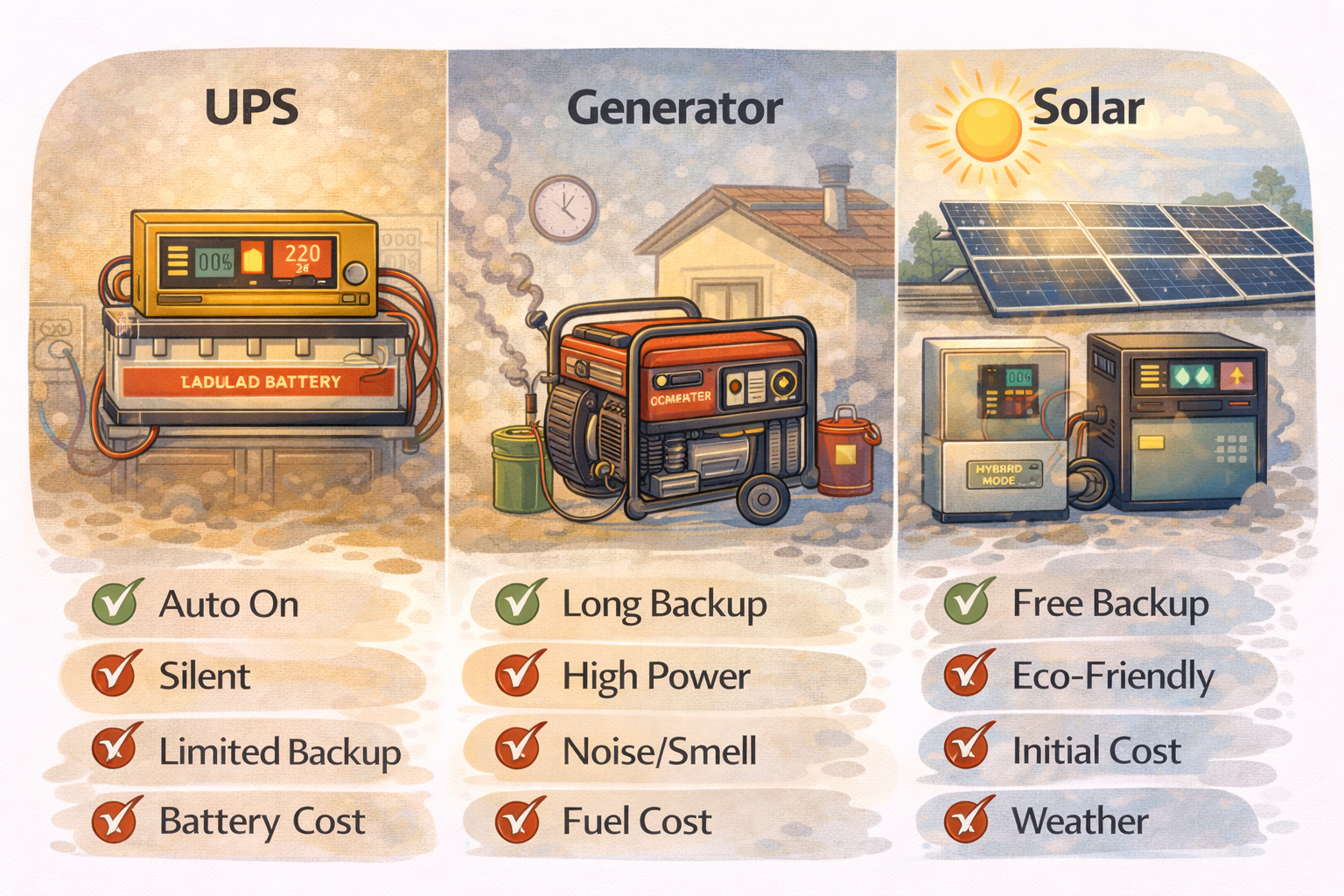
Most homes end up choosing one of three backup options:
-
UPS/Inverter (battery-based)
-
Generator (petrol or diesel)
-
Solar with batteries (hybrid system)
Each one can work well. The “best” choice depends on your load, your budget, your living situation (house vs apartment), and how long outages usually last in your area.
Start With One Question: What Do You Want to Run?
Before comparing options, list your “must run” items during outages:
-
2–4 fans
-
LED lights
-
Wi-Fi router
-
TV
-
fridge (maybe)
-
water pump (sometimes)
Now separate them into two groups:
Essential loads
Fans, lights, Wi-Fi, mobile charging.
Heavy loads
Fridge, water pump, iron, microwave, electric kettle, heater, AC.
This split matters because batteries handle essentials well, while heavy loads often push you toward larger inverters, solar, or generators.
Option 1: UPS / Inverter Backup
A UPS/inverter is the most common solution in Pakistani homes. It runs on batteries and switches on when power goes out.
Common setups people use
-
12V system (1 battery): basic backup for lights + Wi-Fi + maybe 1 fan
-
24V system (2 batteries): better for multiple fans and longer backup
-
Bigger banks (4 batteries / 48V): for longer backup, sometimes fridge and more
What it’s best for
-
Fans + lights + Wi-Fi
-
Quiet backup (no engine noise)
-
Instant switching (you don’t need to go outside and start anything)
What it struggles with
-
Heavy loads (pump, iron, microwave) unless the inverter and battery bank are big
-
Long outages (batteries drain, and battery replacement cost hits later)
-
Modified sine wave inverters can make fans slower and fridges noisier
Practical checks before you decide on UPS
Check 1: Estimate your essential load
A rough example:
-
3 fans (60–80W each) = 180–240W
-
6 LED bulbs (10W each) = 60W
-
Wi-Fi router = 10–20W
Total = ~250–320W
If your essential load is under 400–500W, a decent inverter with a healthy battery bank can handle it.
Check 2: Decide how many hours you need
If outages are usually 1–2 hours, batteries are manageable. If outages are 4–6 hours daily, battery life and replacement cost becomes a big factor.
Check 3: Look at your current battery health
If you already own a UPS:
-
Has backup time dropped a lot compared to last year?
-
Do fans slow down on UPS?
Those are signs the battery bank is already struggling.
Option 2: Generator Backup
Generators are common in areas with long outages or where people want to run heavy loads. They can power more things, but they come with noise, fuel, and maintenance.
Types you’ll see
-
Small petrol generators: common for lights, fans, and maybe a fridge
-
Bigger petrol generators: can run pump and sometimes AC (depending on size)
-
Diesel generators: usually for larger homes or shared buildings (more expensive, heavier duty)
What it’s best for
-
Running heavy loads (water pump, fridge, sometimes AC)
-
Long outages (as long as you have fuel)
-
No battery replacement cycle like UPS (but maintenance is ongoing)
Downsides
-
Noise and fumes (hard in apartments and crowded areas)
-
Fuel cost and availability
-
Requires manual start (unless you have automatic transfer setup)
-
Maintenance: oil changes, spark plug, filters, general care
Practical checks before you decide on a generator
Check 1: Can you actually run it where you live?
If you’re in an apartment or a dense area, noise and exhaust can cause real problems. Also check building rules.
Check 2: Fuel planning
Ask yourself honestly:
-
Do you have safe storage for petrol/diesel?
-
Will you be okay buying fuel regularly during summer?
Check 3: Transfer switching
If you want to run a generator safely, you need a proper changeover/transfer setup. Never back-feed power into the mains line. That’s dangerous for you and for line workers.
Option 3: Solar + Battery (Hybrid Inverter)
Solar has grown a lot in Pakistan, mainly because it reduces electricity bills and also acts as backup during outages (if batteries are included).
The “solar” that helps during load shedding is typically a hybrid inverter + batteries setup. Solar without batteries usually does not give full backup during outages unless the system supports it properly.
What it’s best for
-
Long-term savings on daytime usage
-
Backup during outages (with batteries)
-
Quiet and cleaner than generators
-
Good performance for essentials, and with a bigger setup it can handle more
Downsides
-
Higher upfront cost
-
Requires decent installation quality (bad installation creates constant headaches)
-
Battery replacement still exists (though often managed better in hybrid setups)
-
Output during cloudy days/winter is lower, so you still need batteries or grid support
Practical checks before you decide on solar
Check 1: Do you have good sunlight access?
If your roof gets good sun and has space, solar makes more sense. If you’re in an apartment with limited roof access, it becomes harder.
Check 2: Are your outages mostly daytime or nighttime?
-
Daytime outages: solar helps a lot because panels are producing.
-
Nighttime outages: you depend on batteries, similar to UPS.
Check 3: Focus on essentials first
A well-planned solar + battery setup that reliably runs fans/lights/Wi-Fi is better than an oversized, poorly installed system that keeps tripping.
Comparing the Three Options in Real Home Scenarios
Scenario A: Apartment, short outages (1–2 hours)
Best fit: UPS/Inverter
You need quiet, instant backup, and you probably can’t run a generator. Solar may not be practical if you don’t have roof rights.
Scenario B: House, outages are long and frequent
Best fit: Solar + batteries (if budget allows)
It gives backup and reduces bills. If budget is tight, UPS is still okay for essentials, but you’ll feel battery replacement costs over time.
Scenario C: You must run pump/fridge reliably during outages
Best fit: Generator or a larger hybrid solar system
A basic UPS struggles with pump starting surge. A generator handles that easily. A properly sized hybrid solar + battery system can also handle it, but sizing matters.
Scenario D: You want the cheapest upfront solution for fans/lights
Best fit: UPS/Inverter (basic)
But be realistic: cheap systems often mean weak backup time and faster battery aging.
A Simple Decision Checklist
Choose UPS/Inverter if:
-
Your main goal is fans, lights, Wi-Fi
-
Outages are not extremely long daily
-
You want silent and automatic backup
Choose Generator if:
-
You need heavy loads (pump, fridge, sometimes AC)
-
Outages are long and you can manage fuel + noise
-
You have safe placement and proper changeover wiring
Choose Solar + Battery if:
-
You want both backup and bill reduction
-
You have good roof/sun access
-
You can afford a higher upfront cost
-
You want a quieter long-term solution than generator
Practical Checks You Can Do Today (Before Spending Money)
Make your load list
Write your essential loads and their watts (even rough). This prevents overspending or undersizing.
Do a “backup trial night”
During an outage, try living on essentials only:
-
fans + lights + Wi-Fi
See what feels enough. Many people realize they don’t actually need heavy loads on backup daily.
Check your wiring and changeover
Whatever option you choose, wiring matters. Loose joints and poor changeovers cause voltage drops, heat, and safety risks.
Be honest about your routine
If you’re mostly home at night, a battery-heavy solution matters. If you’re home during daytime, solar gives bigger benefit.